 Cowork
Six drone classes, one flight controller
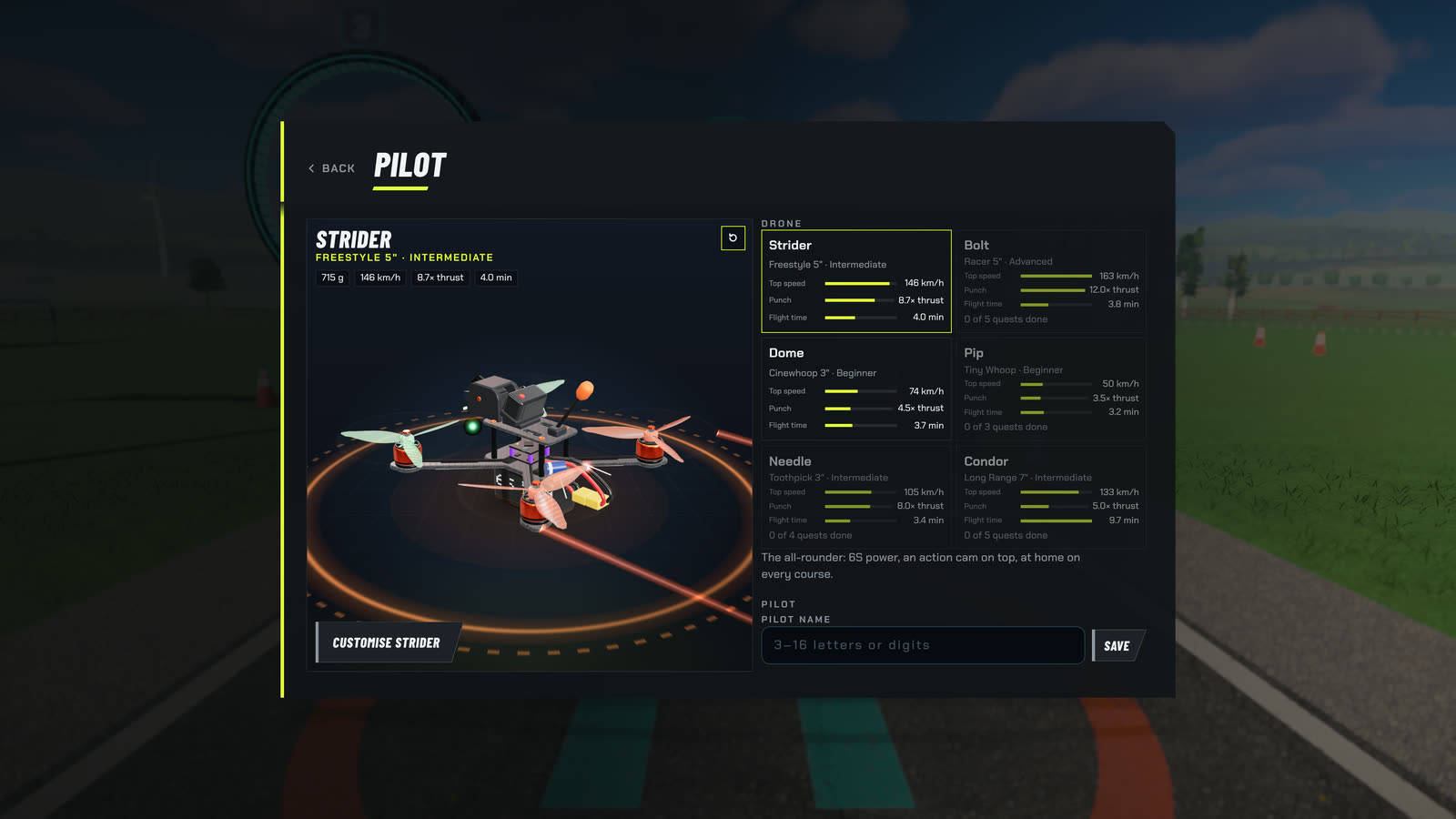
Last week was GPS mode. This week, as promised: how we tuned the six drones so each one feels different.
Real FPV quads come in classes. A tiny whoop, a five-inch racer and a seven-inch long-range rig share the same basic parts, but they fly nothing alike. We wanted the same in the game, without six different sets of physics.
The six classes
Each drone is modelled on a real build: a weight, a motor size and KV, props and a battery. We fly every drone in the game's 1 kHz physics harness and measure what comes out. The numbers below are measured, not typed in, and our tests keep them within 5%.
| Drone | Class | Weight | Thrust to weight | Top speed | Flight time | Level | Crashes above |
|---|---|---|---|---|---|---|---|
| Strider | Freestyle 5" | 715 g | 8.7 | 146 km/h | about 4:02 | Intermediate | 5 m/s |
| Bolt | Racer 5" | 560 g | 12 | 163 km/h | about 3:45 | Advanced | 5 m/s |
| Dome | Cinewhoop 3" | 450 g | 4.5 | 74 km/h | about 3:42 | Beginner | 9 m/s |
| Pip | Tiny whoop 65 mm | 32 g | 3.5 | 50 km/h | about 3:10 | Beginner | 12 m/s |
| Needle | Toothpick 3" | 130 g | 8 | 105 km/h | about 3:22 | Intermediate | 5 m/s |
| Condor | Long range 7" | 1.15 kg | 5 | 133 km/h | about 9:42 | Intermediate | 5 m/s |
Flight times are for mixed flying. "Crashes above" is the impact speed above which a hit counts as a crash and you respawn; slower knocks only bump the drone.
Strider is the reference: a five-inch freestyle quad with 2306 1850 KV motors, 5.1-inch tri-blades, a 6S 1300 battery and a 55 g action cam on top, counted in its 715 g. It produces 15.2 N per motor. It hovers at about 26% throttle, like a real five-inch. It is the all-rounder, and everything else is tuned against it.
Bolt is the racer: 2207 2050 KV motors on 6S 1100, no action cam. It is the fastest of the six, and its motors respond in 26 ms, against 30 ms on Strider. The camera has 35° of uptilt. It is also the least forgiving.
Dome is a three-inch cinewhoop with ducted 1804 2450 KV motors on 4S. The ducts change everything: an impact up to 9 m/s only bumps it, and it bounces off walls instead of crashing. It feels planted. The camera has only 10° of uptilt.
Pip weighs 32 g: 0702 25,000 KV motors, 31 mm props, a 1S 300 mAh battery. It is floaty and survives hits up to 12 m/s, so it is close to unbreakable. It is made for indoors.
Needle is a three-inch toothpick at 130 g, with 1404 3800 KV motors on 4S 450. It is light and twitchy. It threads the gaps in Toy Town and City, but every wall bites.
Condor is the long-range seven-inch: 2807 1300 KV motors, 7-inch props, 6S 1800 and a GPS mast, at 1.15 kg. It is heavy and smooth and slow to turn. Its motors respond in 45 ms going up and 65 ms coming down, and it has a long glide. It flies for close to ten minutes on a pack.
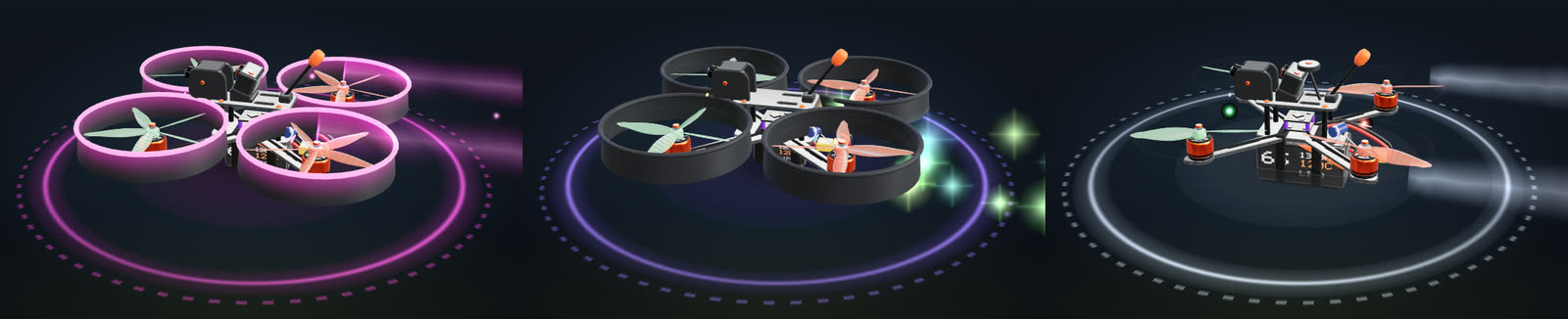
One controller for all six
The easy way to make drones feel different is to give each one its own flight controller tune. We did the opposite. Every class should track the stick the same way, so the differences you feel come from the airframe and not from a hidden setting.
Two things make that work. First, inertia scales with mass times arm length squared, so a big heavy quad is much harder to rotate than a small light one, just like a real one. Second, the rate PID gains are rescaled for each airframe by its torque authority, how much turning force its motors can make for its size. That way the rate you ask for is the rate you get on every class. How quickly it gets there still depends on mass and motor lag, which is why Condor feels slow to turn.
So what changes between classes is mass, punch, drag and motor lag. Not the controller.
The stick rates are the same on every class too. They use Actual rates:
- Beginner: 50 deg/s centre rate, 400 deg/s max, yaw max 180 deg/s.
- Intermediate: 120 deg/s centre rate, 560 deg/s max, yaw max 340 deg/s.
- Pro: 200 deg/s centre rate, 670 deg/s max.
At 30% stick that gives 31, 58 and 80 deg/s. If those terms are new, our post on rates and expo explains them. The point here: pick a rate preset once, and it means the same on every drone. Switch from Strider to Condor and the same stick asks for the same rotation.
Also this week
- Game stick mode. A new default stick mode called Game, on touch, gamepad, keyboard and the AirPlay pad.
- Flip buttons. Now in every mode.
- Chase camera. It aims down the flight path and holds still through flips.
- Android. Large screens rotate freely, and budget GPUs start at Low quality.
Start with Strider or Dome, and unlock the other four through their quests at dronesim.coworkgamestudio.com/play/.
Have a question about this article or found something that does not match the game? Write to us at support@coworkgamestudio.com.