 Cowork
  Drone Sim
An FPV drone flight simulator with realistic quad physics. Learn to hover, then race through rings in a neon night loft, a toy town, a city at dusk, an alpine valley and an endless generated world.
What is Drone Sim?
Drone Sim puts you at the sticks of an FPV racing quad: the small, fast drones that pilots fly through goggles showing a live view from the drone's camera. Unlike a camera drone, an FPV quad does not fly itself. It responds directly to the pilot's inputs, which is what makes it so fast and agile, and why it takes practice to fly well.
The game simulates that quad with a physics model built like a real one: motors, thrust, drag, momentum and a flight controller with the same flight modes and rate settings real pilots use. It can be a relaxed way to fly around and look at the scenery, a training tool before you buy your first real quad, or a racing game where you chase your best lap and beat AI opponents.
Drone Sim is free to play in a web browser on a computer, phone or tablet, with no download and no account. Versions for iPhone and iPad, Android and Meta Quest are coming soon.
How to play
Your first launch opens the Training Field and a twelve-step tutorial: arm the motors, take off, hover, turn, fly in each direction, land, disarm, try the flight modes and cameras, and fly through your first ring. After that, the main menu offers two ways to fly:
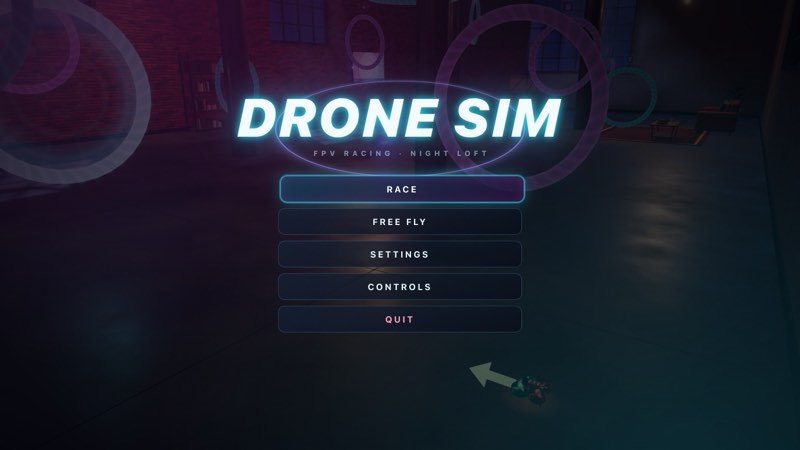
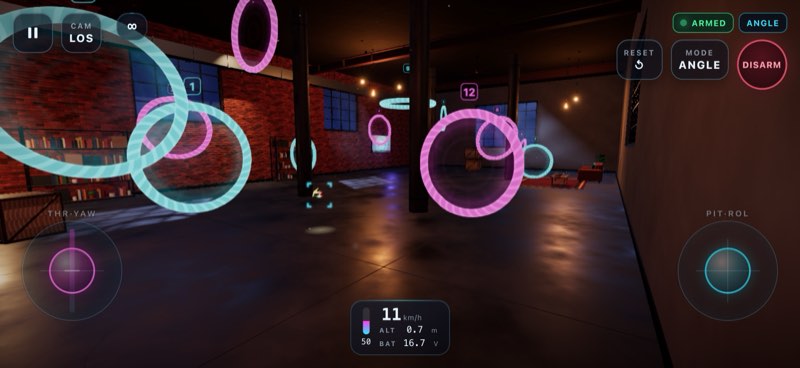
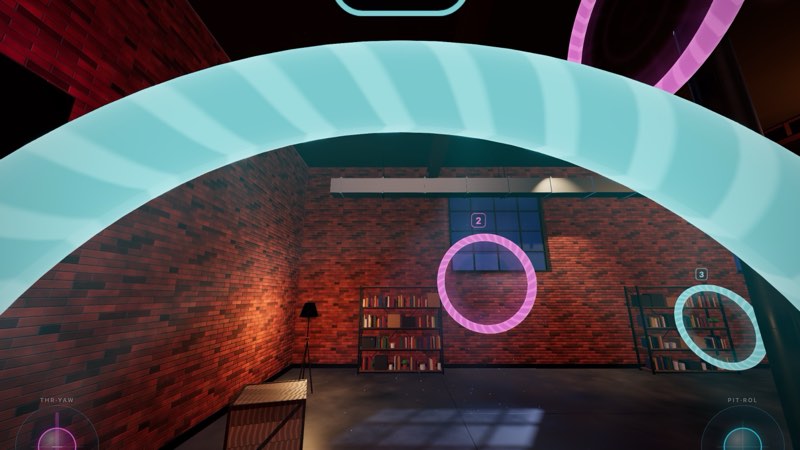
- Race – fly the level's ring course against the clock, alone or against AI pilots. Rings are numbered and the next one is highlighted, with a compass and minimap to guide you. The game keeps your best time and your split time at each ring.
- Free Fly – no clock and no course. Explore the level, practise a manoeuvre, or just enjoy the flight.
New to FPV? Our guide Getting started with FPV in Drone Sim walks through the first session step by step.
Screenshots
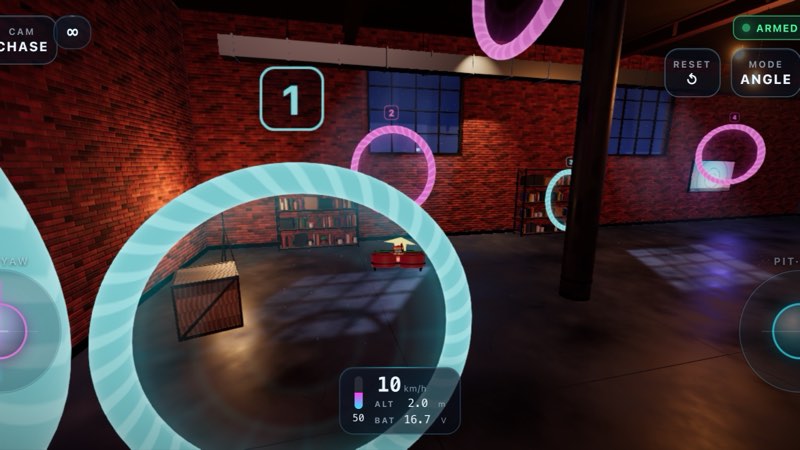
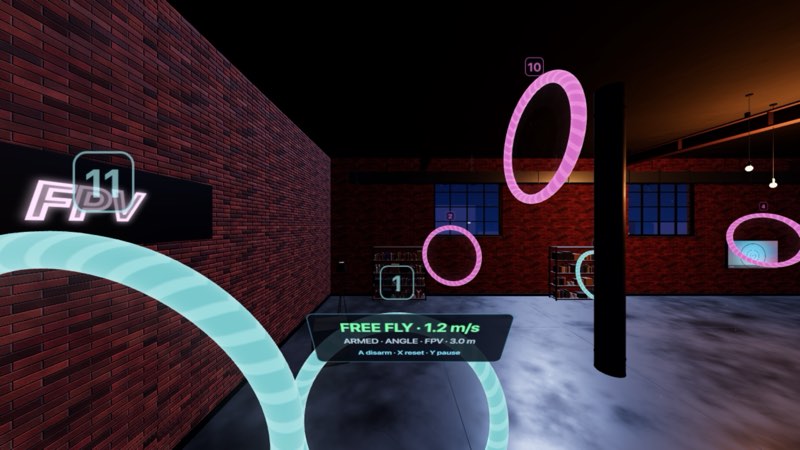
Features
Built like a real quad
The drone has a physical model with real momentum. It tilts to move, sinks when you tilt without adding throttle, drifts through turns and bounces off walls. Crashes are part of learning, and a reset puts you back in the air in a second.
Three cameras
FPV shows the view from the drone's camera, the way racers fly. Line of sight puts you at the pilot spot, like standing at a real flying field; when the drone climbs high overhead the pilot steps back to keep it in view. Chase follows behind the quad and is the easiest view to learn with. Switch at any time.
Three flight modes
GPS holds height and position and brakes when you let go. Angle self-levels but leaves the throttle to you. Acro has no self-levelling at all: the stick sets the rotation rate, as on a real racing or freestyle quad. Read GPS, Angle and Acro explained for a full comparison.
Betaflight-style rates
Center sensitivity, max rate and expo per axis with live curves, Beginner, Intermediate and Pro presets, plus throttle mid, expo and limit. See Rates and expo explained.
AI opponents
Race against AI pilots at five skill levels: Novice, Rookie, Pilot, Ace and Pro. They fly the same quad as you; a higher tier simply flies it better, and the top two fly in Acro.
Controls
Drone Sim supports touch, keyboard, gamepads, USB RC transmitters and Meta Quest Touch controllers. Stick modes 1 to 4 are supported; Mode 2 is the default. The default keyboard and gamepad bindings are:
| Action | Keyboard | Gamepad | Touch |
|---|---|---|---|
| Throttle / yaw (Mode 2) | W S / A D | Left stick (or RT for throttle) | Left on-screen stick |
| Pitch / roll (Mode 2) | Arrow keys | Right stick | Right on-screen stick |
| Arm / disarm | Space | A | ARM |
| Change flight mode | M | Y | MODE |
| Change camera | C | RB | CAM |
| Reset the drone | R | B | RESET |
| Pause | Esc | Start | Pause |
| Heading arrow | V | LB | – |
| Hover throttle (Angle / Acro) | X | – | – |
| Controls legend | H | Back | – |
On Meta Quest, A arms, B changes the flight mode, X resets, Y pauses, clicking the right stick changes the camera and clicking the left stick recentres the view. You stand on the pilot platform and fly with the Touch controllers, with altitude hold on the thumbsticks in GPS mode.
Levels
| Level | What it is |
|---|---|
| Training Field | An open meadow in daylight with three big rings and room to learn. The tutorial runs here. |
| Night Loft | A tight indoor course at night: twelve rings, beams and a ceiling fan. |
| Toy Town | A bright toy town by day: twelve rings down the avenues, round downtown and over the towers. |
| City | Downtown towers at dusk: eighteen rings through street canyons, over roofs and under skybridges. |
| Alpine Valley | Mountains, pine forest and a glacial lake: sixteen rings up the valley and along the ridge. |
| Infinite World | Endless countryside generated from a seed: hills, rivers, villages and roads. Share the code and fly the same world again. |
| Meta Quest VR | Fly the levels in virtual reality from the pilot platform with Touch controllers (Meta Quest version). |
The large levels also have a shorter Sprint route of six to eight rings, about a minute long, which is used by default when you race against AI pilots.
Platforms and pricing
- Web browser – free to play now at dronesim.coworkgamestudio.com. The free web version is planned to be supported by ads.
- iPhone and iPad (App Store) – coming soon. Free with ads, with a one-time purchase to remove ads.
- Android (Google Play) – coming soon. Free with ads, with a one-time purchase to remove ads.
- Meta Quest (Meta Horizon Store) – coming soon as a paid app.
Frequently asked questions
Is Drone Sim really free?
Yes. The web version is free to play in full, with every level. It needs no account and no download.
Which browsers and devices does it run on?
Drone Sim runs in current desktop and mobile browsers with WebGL support, on computers, phones and tablets. Graphics quality can be lowered in the settings for older devices.
Can I use my real RC transmitter?
Yes. A transmitter connected over USB that appears to the computer as a game controller can be used, with stick modes 1 to 4 and an axis setup screen to map its channels.
I have never flown a drone. Where should I start?
Play the tutorial on the Training Field in GPS mode with the chase camera, then read our getting started guide.
Does the game save my progress?
Your settings, best race times and ring split times are saved in your browser's local storage on your device. Clearing the site's data in the browser removes them.
Will it help me fly a real FPV drone?
It teaches the same skills: stick control, throttle management, orientation and Acro flying, with the same rate model as Betaflight. A simulator is not a substitute for learning local drone rules or flying safely, but it is a cheap way to practise before you risk a real quad.
How do I report a bug or ask for help?
Email support@coworkgamestudio.com with your device, browser and what happened. See our contact page.
Ready to fly?
Drone Sim runs in the browser on a computer, phone or tablet. No download, no sign-up.