 Cowork
 GPS, Angle and Acro: flight modes explained
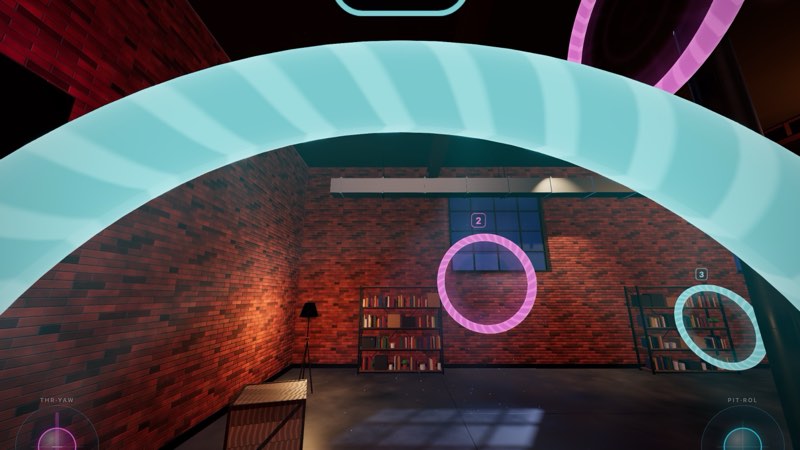
A flight mode decides how much the flight controller helps you. Real FPV quads run flight controller software that can either level the drone for you or leave every angle to the pilot. Drone Sim has three modes, from the most help to none: GPS, Angle and Acro. You switch between them at any time with M on a keyboard, Y on a gamepad, the MODE button on touch, or B on a Meta Quest Touch controller. The current mode is always shown on the HUD.
GPS: the drone flies itself when you let go
In GPS mode the quad holds its height and position. Tilt the right stick and it flies in that direction; let go and it levels out and brakes to a stop. On controls that spring back to centre (the keyboard, Quest thumbsticks, a gamepad stick, or touch with throttle auto-centre turned on), the throttle works as a climb rate: centre holds the current altitude, up climbs, down descends.
GPS is named after the position hold that camera drones use. It is the best mode for your first flights, for exploring big open levels like Alpine Valley or Infinite World, and for lining up the camera to look at the scenery. Its weakness is speed: because the controller keeps braking and levelling, you cannot carry momentum through a turn the way a racer does.
Angle: self-levelling, but the throttle is yours
Angle mode still levels the quad when you centre the pitch and roll stick, and it limits how far the drone can tilt. The maximum tilt is 55 degrees by default and can be set from 20 to 80 degrees in the rate settings. What Angle does not do is hold your height. The throttle is raw: it stays where you leave it, and the quad climbs or sinks depending on how much power you give it.
The thing that surprises most new pilots is that tilting loses height. When the quad tilts forwards, part of the motors' push goes into moving forwards instead of holding the drone up, so you must add throttle in a fast forward run or the quad will sink into the ground. Learning to work the throttle together with pitch is the main skill Angle teaches. On a keyboard, where you cannot hold a key half way, X snaps the throttle to the estimated hover point.
Angle is a good mode for racing on the smaller courses. The Novice, Rookie and Pilot AI opponents all fly in Angle mode.
Acro: the way real FPV pilots fly
In Acro (also called rate mode) there is no self-levelling at all. The pitch and roll stick no longer sets an angle; it sets a rotation speed. Hold the stick and the quad keeps rotating; centre it and the quad holds whatever attitude it is in, even upside down. To fly level you have to bring it back to level yourself.
That sounds harder, and at first it is. But it is also why racing and freestyle pilots use it: nothing fights your inputs, there is no tilt limit, and you can carry speed through turns, dive under obstacles and flip or roll whenever you like. The two top AI opponents, Ace and Pro, fly in Acro. How fast the quad rotates for a given stick movement is set by your rates; see Rates and expo explained.
| Mode | Self-levels | Holds height | Tilt limit | Best for |
|---|---|---|---|---|
| GPS | Yes, and brakes | Yes | Yes | First flights, exploring |
| Angle | Yes | No (raw throttle) | Yes (55° default) | Learning throttle, early racing |
| Acro | No | No (raw throttle) | None | Racing, freestyle, real-quad practice |
A practice plan from GPS to Acro
- GPS on the Training Field. Hover, turn, fly the three rings. Use the chase camera.
- Angle on the Training Field. Take off and hold a hover using only the throttle. Then fly slow laps, adding throttle every time you tilt forward.
- Angle in Toy Town or the Night Loft. Race the Novice and then the Rookie opponents. Switch to the FPV camera.
- Acro in the open. Go back to a big, empty space. Climb high first, so you have time to recover. Practise rolling to a bank, holding it, and rolling back to level. If the quad gets away from you, switch to GPS with one button press, let it level, and switch back.
- Acro on a course. Fly the Training Field rings in Acro, then a Sprint route in the City or Alpine Valley.
Expect the switch to Acro to take a few sessions. Most pilots find that once it clicks, they never want to go back.
Have a question about this guide or found something that does not match the game? Write to us at support@coworkgamestudio.com.