 Cowork
Drone Sim on Quest 2: a steady 72 fps on all 8 tracks
Hi everyone,
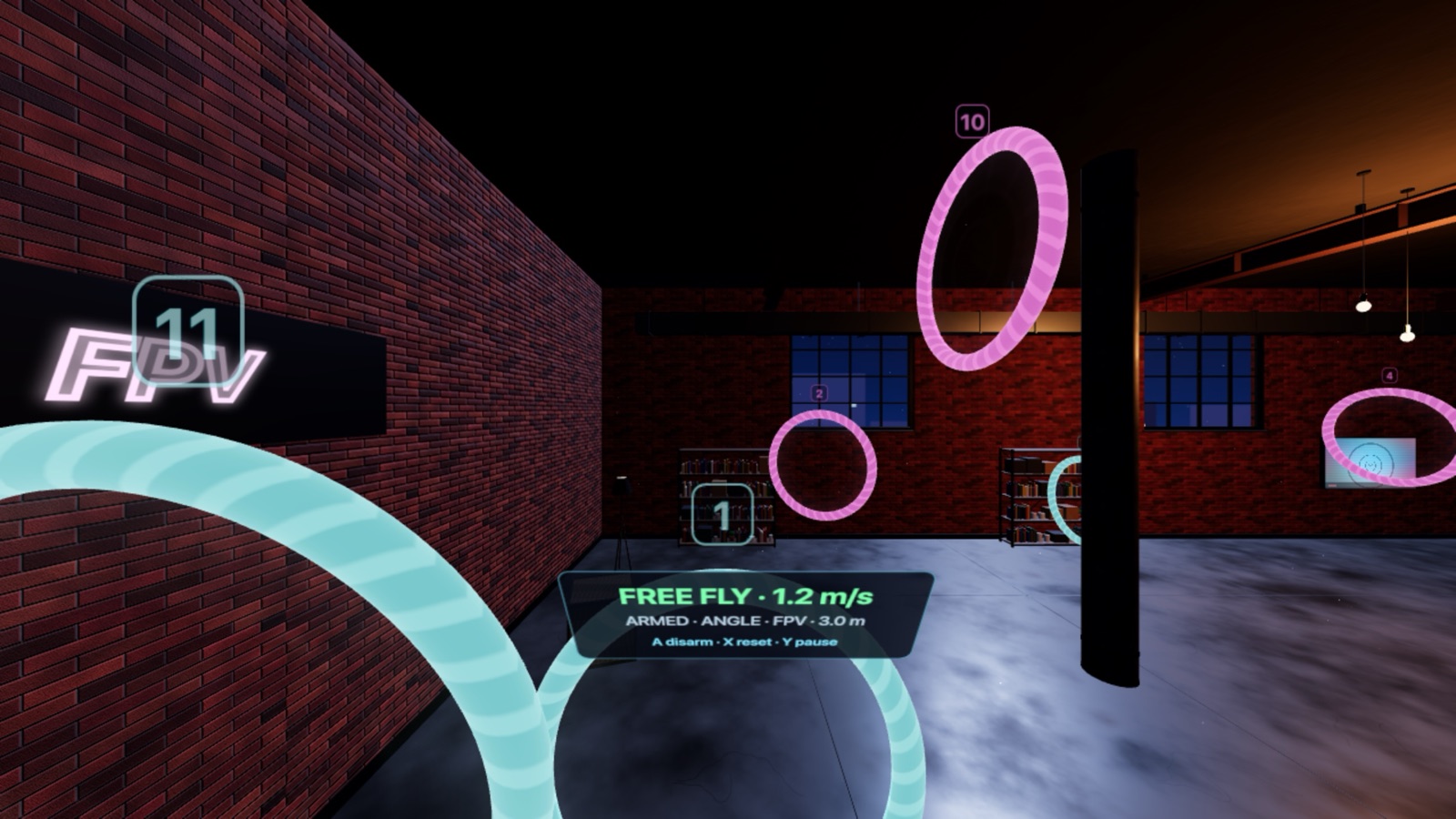
This week was about one thing on Meta Quest: frame rate. In VR a dropped frame is not just a stutter, you feel it. Quest 2 refreshes 72 times a second, so that is the number the game has to hit every frame, on every track. It now holds about 72 fps on Quest 2 on all 8 tracks.
The picture above is from the headset, with the small flight panel that floats in front of you.
A tuned VR resolution
The headset now renders the VR view at a resolution tuned for Quest 2, so the graphics chip is not pushed past what it can draw in time.
Lighter scenery, only in VR
Ha Long, Alpine, Night Loft, Training, City and Infinite now load a lighter set of scenery when you play in VR. The tracks, rings and gates are the same as on every other platform. What changes is the background detail you fly past at speed. On a phone or in a browser nothing changes.
Less work for the CPU
Some of the savings come from doing less each frame, and they help on every platform, not only Quest.
- Scenery that never moves is no longer recalculated every frame.
- Race gates are sent to the graphics card again only when something about them changes.
- The in-headset flight panel redraws about 5 times a second instead of every frame.
Next we keep testing on the headset. If you fly on Quest and a track feels rough, tell us which one at support@coworkgamestudio.com.
Drone Sim is free to try on Meta Quest, and free on iPhone, iPad and in your browser. Everything is on the Drone Sim page.
Have a question about this article or found something that does not match the game? Write to us at support@coworkgamestudio.com.